

You know the moment: a deadline looms and the right image is buried in a maze of folders. It feels personal because every minute lost frays trust and creativity.
Digital asset management moves teams past generic file storage and into a single source of truth. It centralizes assets, enforces versioning, and speeds access so creative work and approvals no longer stall.
In this friendly, fair comparison we’ll clarify what each option means for your business. Expect clear trade-offs: access anywhere versus local control, automatic updates versus manual maintenance, and flexible scaling versus fixed capacity.
We’ll also flag the real stakes around security and data, outline how cost and total ownership differ, and preview how integrations boost collaboration across marketing and creative suites.
Key Takeaways
- Choose based on priorities: access and agility or control and isolation.
- Good asset management reduces rework and keeps your brand consistent.
- Security needs shape the choice: encryption and audits vs physical isolation.
- Costs differ: pay-as-you-go versus upfront hardware and staff.
- Integrations speed delivery and approvals for teams and organizations.
Understanding Digital Asset Management Today
What began as on-premise media lockers now drives enterprise content flows across teams.
From creative repositories to enterprise-wide content supply chains
Early dam solutions in the 1990s were client-server repositories that helped teams reuse high-value visuals. Today these systems link creative teams, marketers, and merchandisers across organizations.
Modern platforms secure and categorize large files, manage permissions, and speed retrieval so users don’t hunt through folders. They also add digital rights tracking to trace provenance and reduce legal risk for companies.
Why “single source of truth” matters for fast-moving teams
A single source of truth prevents conflicting versions and protects brand integrity. That clarity accelerates time to market and cuts rework.
Metadata, taxonomy, and AI tagging improve findability and shrink manual work. Performance and infrastructure are critical because asset management must handle very large files while delivering fast search and access.
- Creators produce assets; line-of-business teams reuse them in campaigns and product pages.
- Organizations can adopt systems gradually, adding governance as maturity grows.
- Cloud-run deployments boost resilience and elasticity while maintaining strong security.
Deployment Options Explained: Cloud-Based DAM vs On-Premises (Self-Hosted) DAM
Where you deploy your asset system shapes access, costs, and long-term flexibility.
What a DAM system handles
A dam centralizes storage, delivers fast search, enforces granular security, and governs access to large digital asset files.
It also manages delivery and integrates with marketing tools so teams find and use the right assets quickly.
How deployment choice impacts workflows and goals
Hosted service models provide elastic storage and automatic updates, reducing initial setup and ongoing resources.
This model speeds cross-border access and approvals, so distributed teams move faster on campaigns and launches.
“Deployment is a strategic choice: pick speed and ease or control and isolation.”
On-site systems give full control over platform software and data localization. They require hardware, IT staffing, and maintenance planning.
Integrations also differ: SaaS ecosystems favor wide third-party connectors, while on-site setups link deeply with legacy databases and private networks.
- Workflows: hosted platforms boost collaboration; on-site may constrain external sharing without VPNs.
- Control: on-site grants autonomous control; hosted platforms offer standard security baselines and frequent feature releases.
- Resources: hosted reduces upfront cost and setup; on-site needs infrastructure and ongoing maintenance.
Both paths can meet strict security needs, but their approaches differ. For nuanced cases, consider a hybrid route or explore managed services for hosting as a middle ground.
Cloud DAM Deep Dive: Accessibility, Scalability, and Integrations
Teams working across time zones need instant, reliable ways to find and use creative files.
Anytime access for distributed teams, real-time collaboration, and mobile
Browser and mobile access let marketing and creative teams collaborate without VPNs. Users can preview, comment, and approve assets from phones or laptops.
Pay-as-you-go storage, automatic updates, and AI-powered search
Subscriptions scale storage during campaign peaks so you avoid buying extra hardware. Vendors push automatic updates that add features and tighten security.
AI tagging from services like AWS Rekognition and Microsoft Azure Cognitive Services speeds metadata capture. That reduces manual work and improves search accuracy.
Open ecosystems: microservices, RESTful APIs, and SaaS integrations
Microservices and RESTful APIs make the platform a hub for creative, marketing, and productivity tools. Integrations—think Bynder to social schedulers—cut handoffs and shorten production time.
“When approved assets are centralized, teams publish faster with fewer errors.”
- Advanced filters, NLP search, and format conversion speed execution.
- Audit trails and role-based permissions protect data while keeping workflows lean.
- Overall, this model boosts efficiency and keeps digital assets consistent downstream.
Self-Hosted DAM Deep Dive: Control, Customization, and Local Performance
Running an on-site system puts governance and performance under your roof. Teams get precise control over policies, permissions, and where data resides. That control helps meet strict compliance and keeps sensitive files inside approved networks.

Complete control over data, permissions, and internal policies
Define your own rules. You can set IP allowlists, role-based permissions, and residency rules without relying on third parties. This makes audit trails easier to enforce.
Integrating with legacy systems and private networks/VPNs
On-site deployments link tightly to legacy databases and proprietary apps. Private networks and VPNs deliver fast local access for large files when most collaboration is internal.
Hardware planning, IT resources, and maintenance realities
Expect upfront hardware and backup investments, plus ongoing maintenance tasks like patching and monitoring. Staffing and capacity planning are part of the total investment.
| Topic | Benefit | Responsibility | Impact |
|---|---|---|---|
| Control | Granular permissions | Internal IT | Higher compliance |
| Performance | Fast LAN access | Hardware sizing | Better large-file throughput |
| Scaling | Custom growth | Buy & configure gear | Capital cost, possible downtime |
| Maintenance | Tailored updates | Ongoing staffing | Predictable control, higher ops cost |
Security and Compliance: Balancing Risk, Control, and Convenience
Choosing where assets live affects risk, compliance, and everyday workflows for your team.
On-premises setups give physical isolation, full internal control over access logs, and clear data localization. That makes meeting mandates in healthcare and finance easier. Your IT staff owns maintenance, patching, and failover design.
Standardized, audited safeguards
Mature vendors offer ISO 27001 and SOC 2 Type II, role-based access, TLS 1.3 encryption, watermarking, and time-limited shares. These controls help organizations satisfy auditors while providing multi-region redundancy.
Threat detection and continuous validation
Cloud detection and response (CDR) scans activity, flags anomalies, and can isolate threats in real time. Continuous validation shortens response time and reduces dwell time for attackers.
When hybrid makes sense
Keep crown-jewel data on-site and publish marketing libraries to a cloud-based service for fast collaboration. This split reduces risk while preserving speed for distributed teams.
“Security is a shared responsibility: vendors secure the platform; you control classification, access, and staff training.”
- Enforce least-privilege roles and project isolation.
- Document log reviews, backup plans, and training routines.
- Plan disaster recovery: multi-region backups vs DIY replication.
Cost, TCO, and ROI: What the Numbers Say Right Now
Numbers tell a clear story: the price of running an on-site system looks very different from subscription-based platforms.
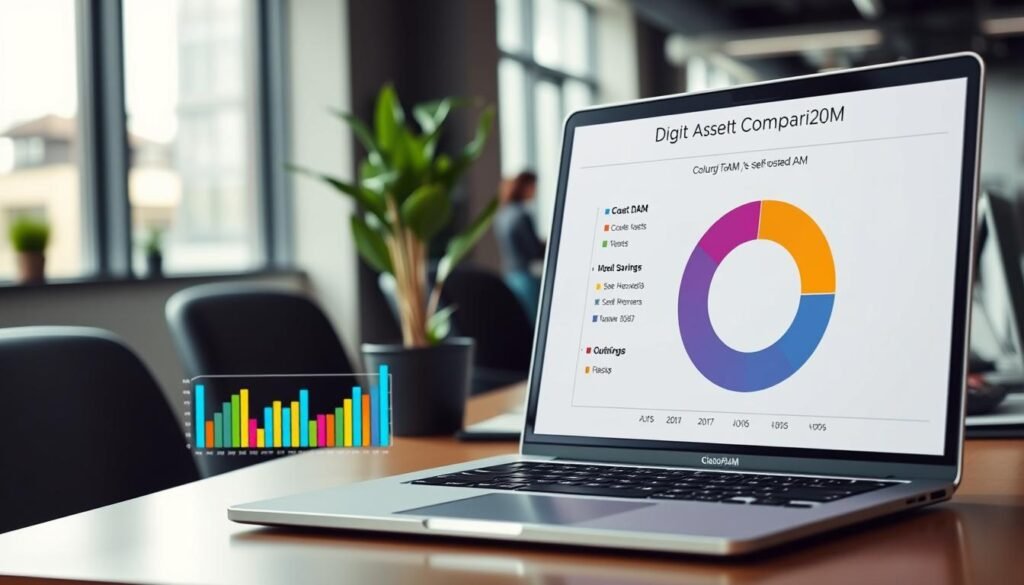
Self-hosted cost structure includes one-time investments: servers, storage arrays, networking gear, perpetual software licenses, and deployment fees. Expect first-year totals of roughly $50,000–$130,000. Recurring maintenance runs about $30,000–$65,000 per year for labor, hardware upkeep, and power. Over five years that adds to ~$200,000–$450,000.
Subscription-based cost structure centers on annual subscription fees and storage add-ons. Typical vendor fees range $7,000–$30,000 per year. Hidden savings appear as avoided hardware buys, fewer system admins, and no major upgrade invoices. Five-year totals commonly fall between ~$15,000–$110,000.
Payback and real-world impact
Faster retrieval and compressed approval cycles drive ROI. For example, retrieval time dropped from 25 minutes to 3 minutes in one brand, and approvals fell from 5 days to 8 hours in another. Those gains translate into higher campaign velocity and measurable revenue lift.
- On-prem: higher upfront cost, predictable control, ongoing maintenance responsibilities.
- Subscription: lower initial spend, elastic storage, fewer admin costs, faster onboarding.
- Model scenarios with your team’s volumes and work patterns to estimate payback precisely.
“Tie system selection to needs—regional teams, asset volumes, and collaboration patterns matter more than the headline price.”
Cloud DAM vs Self-Hosted DAM Review: Use Cases, Scenarios, and a Decision Checklist
Deciding where to store and serve your creative files starts with mapping how your teams actually work.
When on-premises fits
Best for extreme security and low change. Companies in healthcare or finance often need strict data localization and heavy audit trails. If assets rarely leave internal networks and IT can staff 24/7 maintenance, on-site systems give the necessary control.
When cloud leads
Best for high-volume pipelines and fast approvals. Organizations with distributed teams, heavy marketing cycles, or rapid launches benefit from elastic storage and faster time-to-publish. Case data shows up to 65% faster deployment and over 40% ROI in aggressive content operations.
Decision checklist
Answer these three core questions:
- Is mandatory localization or tight regulation required for your data?
- Do cross-border, high-frequency collaboration needs dominate your workflow?
- How does a five-year TCO for on-site compare with cloud TCO and projected ROI?
“Trial with representative teams and creative teams to validate workflow fit before a full rollout.”
| Factor | On-Premises Strength | Cloud Strength |
|---|---|---|
| Security & Compliance | Physical isolation, complete audit control | Standardized certifications, fast patching |
| Collaboration | Best for internal circulation | Superior for distributed teams and approvals |
| Cost & Maintenance | Higher upfront, predictable ops | Lower initial spend, pay-as-you-go storage |
| Integrations | Tight legacy system links, private APIs | Broad connectors, public APIs, faster integrations |
Management expectations: define who provisions access, who audits logs, and the level of daily control your organization needs. Also clarify where data will live, how it’s encrypted, and what audit evidence stakeholders require.
Next step: for technical requirements, read the practical checklist at digital asset management requirements and run a short pilot with representative teams.
Conclusion
Deciding where to keep your creative library shapes how fast teams work and how well data is protected.
Cloud DAM often wins on collaboration, rapid updates, and lower five-year costs, while on-premises systems give autonomous control, physical isolation, and tight data residency. Real brands report retrieval cut to 3 minutes and approvals trimmed to 8 hours, driving 40%+ ROI.
Anchor choices in numbers: compare the five-year cost ranges and expected efficiency gains. Align deployment to strategic goals, team structure, and existing infrastructure.
Run a short pilot with live workloads to validate software fit, storage performance, integrations, and ongoing maintenance effort. Many organizations adopt a hybrid path—keep sensitive data on-site and use cloud for distribution and scale.
Takeaway: choose the platform that balances security, cost, and efficiency for your team’s next two to five years.