

Are you finding it hard to manage your small business’s finances? With so many accounting solutions out there, picking the right one can feel like a big task.
According to CNBC Select, top choices include FreshBooks, Xero, and QuickBooks. They offer features like invoicing, expense tracking, and financial reports. For example, Xero has different pricing plans, making it a good fit for many business needs.
Finding the best accounting software is key to making your financial management easier. In this article, we’ll look at these top options to help you choose wisely.
Key Takeaways
- Comparison of FreshBooks, Xero, and QuickBooks features
- Pricing plans for each accounting software
- User-friendly interfaces for easy bookkeeping
- Real-time collaboration and financial reporting capabilities
- Best practices for selecting the right accounting software
Why Small Businesses Need Accounting Software
In today’s fast-paced business world, small businesses must have good accounting software. It helps them stay organized and make smart choices. Good financial management is key to success, and accounting software gives the tools needed.
Benefits of Using Accounting Software
Accounting software brings many benefits to small businesses. It improves financial management, boosts efficiency, and helps in making better decisions. It automates tasks like invoicing and expense tracking, saving time and reducing mistakes.
FreshBooks alternatives like Xero and QuickBooks offer extra features. These include cash flow management and financial forecasting. This helps businesses understand their financial health better.
Also, accounting software keeps small businesses in line with financial laws and taxes. This reduces the chance of penalties and fines. It has features for automated tax calculations and compliance reports, ensuring businesses meet their financial duties.
Common Challenges Faced by Small Businesses
Small businesses face many financial challenges. These include managing cash flow, tracking expenses, and creating financial reports. Without the right tools, these tasks take a lot of time and can be error-prone.
Many small businesses struggle with manual accounting. This leads to inefficiencies and unclear financial management. They may also lack the financial knowledge to manage their finances well. This is where small business accounting software helps, providing the tools and insights needed.
How Software Simplifies Financial Management
Accounting software makes financial management easier by providing a single platform for all financial tasks. It automates invoicing, expense tracking, and financial reporting. This streamlines financial operations and reduces administrative work.
It also gives real-time insights into a business’s financial health. This allows owners to make informed decisions about their operations. With a clear view of their finances, businesses can better manage cash flow, find cost savings, and plan for growth.
Overview of Top Accounting Software
FreshBooks, Xero, and QuickBooks are top choices for small businesses. They offer different solutions for financial management.
Choosing the right accounting software is key for small businesses. It affects how well they manage their finances.
Criteria for Selecting the Right Software
Several factors are important when picking accounting software. Scalability is key, as it should grow with your business. Ease of use is also vital, making sure it’s simple to use without needing a lot of training.
Pricing, customer support, and integrations with third-party apps are also important. For example, freelancers might look for something affordable and easy to use. On the other hand, growing businesses might need to consider more advanced features and scalability.
Popular Features to Look For
Today’s accounting software offers many features to help manage finances. Invoicing and expense tracking are basic but essential. They help with managing cash flow.
- Financial reporting gives insights into a company’s financial health.
- Inventory management helps track stock levels and manage orders.
- Payroll processing makes it easier to handle employee pay and taxes.
By looking at these criteria and features, small businesses can find the right accounting software. It should meet their specific needs and improve their financial management.
FreshBooks: A User-Friendly Choice
For small businesses, FreshBooks is a top pick for easy accounting. CNBC Select says it has features like invoicing, expense tracking, and financial reports. These make managing money simple.
Key Features of FreshBooks
FreshBooks makes accounting simple for small business owners. It has key features like:
- Invoicing: Easy invoicing and tracking.
- Expense Tracking: Keep an eye on business expenses.
- Financial Reporting: Get reports to understand your finances.
- Time Tracking: Accurate billing with time tracking.
Pricing Plans and Options
FreshBooks offers a free trial to test its features. It has tiered pricing plans for different needs:
| Pricing Plan | Features | Price |
|---|---|---|
| Lite | Basic features for small businesses | $15/month |
| Premium | Advanced features for growing businesses | $30/month |
| Select | Comprehensive features for established businesses | $50/month |
“FreshBooks is a great choice for small businesses because it’s easy to use and has all the features you need to manage your finances effectively.” –
Pros and Cons of FreshBooks
FreshBooks is known for its easy-to-use interface and strong features. But, there are some points to consider:
- Pros:
- Easy to use, even for those without accounting experience.
- Comprehensive features for invoicing, expense tracking, and more.
- Cons:
- Limited advanced features in the lower-tier plans.
- Customer support could be more responsive.
In conclusion, FreshBooks is a great option for small businesses looking for easy bookkeeping software. Its user-friendly interface and strong features make it a top choice for simplifying financial management.
Xero: Great for Global Businesses
Xero is a top choice for global businesses, with a full set of financial tools. It’s a leading FreshBooks alternative made for businesses worldwide.
User Interface and Functionality
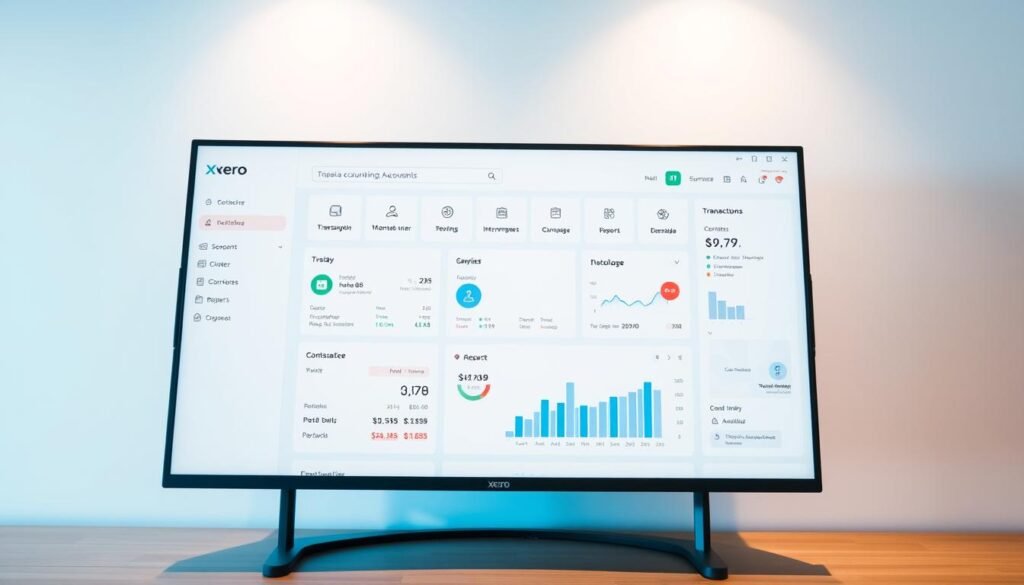
Xero’s interface is simple and easy to use, even for those new to accounting. It has key features like invoicing, expense tracking, and financial reports. Its clean design and straightforward functionality help businesses manage their finances well.
Integrations and Third-Party Apps
Xero stands out for its wide range of third-party app integrations. For example, it works well with Gusto for payroll, simplifying employee salary and benefits management. This makes Xero a flexible tool for businesses with various needs.
Unique Selling Points of Xero
Xero has several key features that make it stand out. It tracks fixed assets and offers detailed reporting. Xero’s reporting capabilities give businesses deep insights into their finances. For small businesses, Xero is a great accounting solution.
QuickBooks: Industry Leader
QuickBooks is a top choice in accounting software. It’s easy to use and has features for all business sizes. From freelancers to big companies, it offers tools for managing money.
Functionality for Diverse Business Needs
QuickBooks has many features for different businesses. Small businesses and freelancers get a simple accounting app for easy invoicing and expense tracking. Big businesses get advanced tools like payroll management and financial analytics.
“QuickBooks has been a big help for us. Its easy-to-use interface and detailed reports have changed our business,” says a QuickBooks user.
Pricing Tiers and Accessibility
QuickBooks has plans for every budget. From the Simple Start for small businesses to the Advanced for big ones, there’s a plan for you. Plus, there’s a free trial to try it out first.
- Simple Start: Ideal for solo entrepreneurs and small businesses
- Essentials: Suitable for growing businesses that need more features
- Plus: Offers advanced inventory management and project tracking
- Advanced: Designed for large businesses with complex financial needs
Reasons to Choose QuickBooks
QuickBooks is a top pick for many reasons. It’s easy to use, even for those without accounting knowledge. It also has robust customer support, including live chat and phone help.
For those deciding between QuickBooks vs Xero for growing businesses, QuickBooks is often the better choice. It’s great for freelancers and growing businesses alike, with features that grow with your business.
Wave: Free Accounting Software
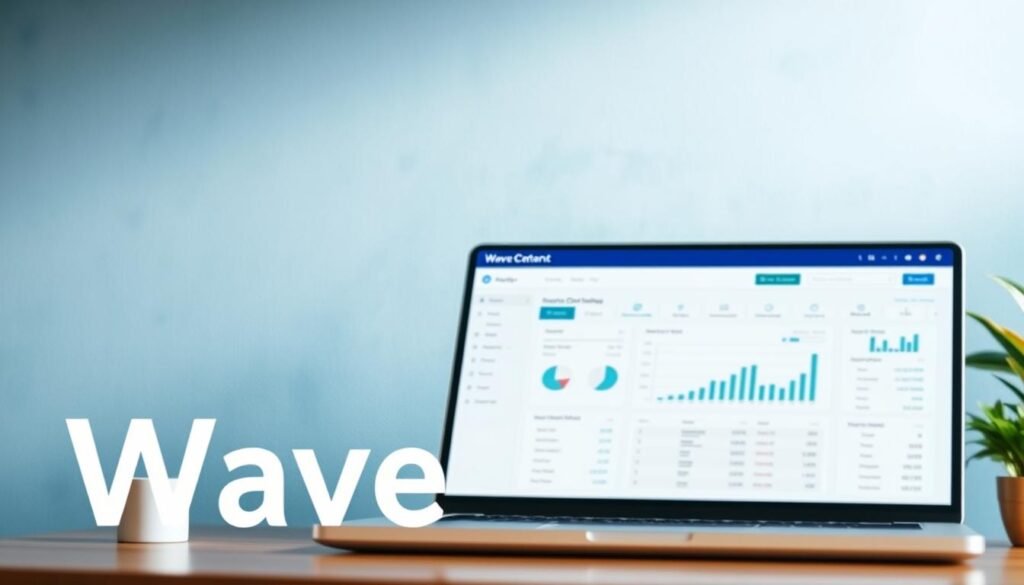
For small businesses and freelancers, Wave offers a free accounting solution. It helps manage finances without the cost of traditional software.
Key Features for Small Businesses
Wave’s free accounting software has many features for small businesses. These include:
- Invoicing: Create and send professional invoices to clients.
- Expense Tracking: Monitor business expenses to keep finances in check.
- Financial Reporting: Generate reports to understand the financial health of your business.
These features help small businesses manage their finances better. It’s easier to track income and expenses, manage cash flow, and make smart financial decisions.
Limitations of the Free Version
Wave’s free version is powerful but has some limits. These include:
- Limited Features: Some advanced features are not available in the free version.
- Payment Processing Fees: While the software is free, payment processing fees apply.
Despite these limits, many small businesses find Wave valuable for their financial needs.
Ideal Business Types for Wave
Wave is great for small businesses and freelancers needing a simple accounting solution. It’s perfect for new businesses or those with simple financial needs. To learn more, visit Wave’s Accounting Page.
Comparisons of Pricing Models
Accounting software prices vary a lot. It’s key for businesses to look at their options carefully. The cost of accounting software can greatly affect a small business’s money management. Knowing the different pricing structures is important for making a good choice.
Monthly vs. Annual Subscriptions
Choosing between a monthly or annual subscription is a big decision. Monthly subscriptions give businesses flexibility to change plans as needed. On the other hand, annual subscriptions often have discounts for a full year, which is good for businesses with steady needs.
- Monthly subscriptions are great for businesses with changing needs or just starting out.
- Annual subscriptions can save money for established businesses with steady accounting needs.
Hidden Costs to Consider
There are often extra costs with accounting software. These include fees for add-ons, integrations, and support services. It’s important to include these costs in your budget to avoid surprises.
- Think about the cost of add-ons like payroll processing or advanced reporting.
- Look at the fees for integrating the software with other apps.
- Check the cost of customer support and any extra fees.
Value for Money Analysis
When looking at accounting software, think about the value for money. Look at the cost, features, functionality, and benefits. A detailed analysis will help find the best software for your money.
| Software | Pricing Model | Key Features |
|---|---|---|
| FreshBooks | Monthly/Annual | Invoicing, Expense Tracking, Time Tracking |
| Xero | Monthly/Annual | Invoicing, Inventory Management, Payroll |
| QuickBooks | Monthly/Annual | Comprehensive Accounting, Inventory, Payroll |
By comparing pricing models and total cost, small businesses can choose the right accounting software. This choice should meet their needs and budget.
Mobile Applications: Accounting on the Go
Mobile apps have changed how businesses handle money. They offer flexibility and ease. Now, businesses can access financial data and make decisions from anywhere.
Importance of Mobile Access
Mobile access to accounting software is key for quick financial decisions. It lets users manage finances from anywhere. The demand for mobile accounting apps has grown a lot, thanks to the need for flexibility and remote work.
Key benefits of mobile access include:
- Real-time financial updates
- Remote expense tracking
- Invoicing and payment processing on the go
Top Apps for Remote Management
Many top accounting software options have great mobile apps for remote management. For example, mobile accounting apps are popular among small businesses and freelancers. Both QuickBooks vs Xero for growing businesses offer strong mobile solutions.

| Software | Mobile App Features | User Rating |
|---|---|---|
| QuickBooks | Invoicing, expense tracking, financial reporting | 4.5/5 |
| Xero | Invoicing, bill tracking, bank reconciliation | 4.5/5 |
| FreshBooks | Invoicing, expense tracking, time tracking | 4.5/5 |
Enhancing Productivity with Mobile Features
Mobile accounting apps give access to financial data and boost productivity. For example, a simple accounting app for freelancers can track time, create invoices, and manage expenses on the move.
The key to maximizing productivity lies in using these mobile features well. This way, businesses can make their financial management smoother, cut down on paperwork, and focus on growing.
Customer Support and Resources
Customer support and resources are key for small businesses to get the most from their accounting software. It’s important to look at the support level when choosing software. This can greatly affect how easy it is to use.
Support Options Offered by Each Software
The best accounting software has many support options. For example, FreshBooks offers phone, email, and live chat support. This means users can quickly find help when they need it. Xero also has phone and email support, plus a detailed online knowledge base.
Here’s a comparison of the support options offered by the top accounting software:
| Software | Phone Support | Email Support | Live Chat Support |
|---|---|---|---|
| FreshBooks | Yes | Yes | Yes |
| Xero | Yes | Yes | No |
| QuickBooks | Yes | Yes | Yes |
Educational Resources and Tutorials
Top accounting software also offers lots of educational resources and tutorials. For example, QuickBooks has detailed tutorials and guides on its website. These cover everything from basic accounting to advanced software features.
Wave also has a lot of educational resources. This includes blog posts, webinars, and video tutorials. These help users understand the software and improve their financial skills.
Community Forums and User Groups
Many accounting software providers have community forums and user groups. These are places where users can share experiences and get advice. They are great for discussing best practices and solving problems.
For example, Xero has an active community forum. Users can ask questions, share knowledge, and find resources. QuickBooks also has a big user community. There are many online forums and groups for discussing its software.
By looking at the customer support and resources each accounting software offers, small businesses can choose the best one for their needs.
Conclusion: Finding the Right Fit
Choosing the right accounting software is key for small businesses to handle their money well. There are many choices, including FreshBooks alternatives. Businesses can pick the one that fits their needs best.
Personalized Recommendations
For small businesses with basic accounting needs, Wave or FreshBooks might work well. But, for growing businesses, Xero or QuickBooks might have more features. It’s important to evaluate these options based on your business’s specific needs.
Final Considerations
When picking accounting software for small businesses, think about the cost, customer support, and if it works on mobile. Trying out different options can help find the best match for your business.
Exploring Options
Businesses should look into the top accounting software options. Consider their features, prices, and customer support. This way, they can make a smart choice that makes managing their finances easier.