


Are you finding it hard to manage your team’s productivity in the remote work era? With more flexible work arrangements, tracking work hours and improving workflows is getting tough.
Reliable time tracking is key for businesses to stay ahead. Using time tracking solutions with Office365 could be a big help. But is it the best fit for your company?
As companies look for digital timesheet alternatives to Excel, they must consider the good and bad of different time tracking options. In this article, we’ll look at the benefits and drawbacks of using time tracking solutions with Office365.
Key Takeaways
- Discover the benefits of integrating time tracking solutions with Office365.
- Explore digital timesheet alternatives to Excel.
- Learn how to choose the right time tracking solution for your business needs.
- Understand the pros and cons of using time tracking solutions integrated with Office365.
- Find out how to boost productivity and efficiency with reliable time tracking.
Introduction to Time Tracking Apps
In today’s fast-paced world, knowing about time tracking apps is key to boosting productivity. These apps help businesses see how much time is spent on tasks and projects. They are a must-have for any business looking to improve.
What is Time Tracking?
Time tracking is about recording how much time is spent on tasks and activities. It can be done manually or with time tracking software. It’s important for businesses to know how their time is used. This helps them find ways to work better and make smart decisions.
Importance of Time Tracking in the Workplace
Time tracking is very important in the workplace. It helps increase productivity, efficiency, and profits. By tracking time, businesses can find out what’s wasting time and make their workflows better.
It also helps with accurate billing and payroll, making things easier for the business.
Key benefits of time tracking include:
- Improved productivity and efficiency
- Enhanced project management capabilities
- Accurate billing and payroll processing
- Better resource allocation
Overview of Office365 Integration
Office365 integration with time tracking apps makes tracking time easy. It lets users track time right from their Microsoft environment. This makes managing time and projects easier for businesses.
The integration also means all time tracking data is in one place. This makes it easier to access and manage. It also helps teams work better together by providing a single platform for tracking and managing projects.
Benefits of Office 365 Integration
Time tracking apps and Office365 work together to boost productivity and efficiency. This integration helps businesses run better.
Streamlined Workflow and Productivity
One big advantage is a streamlined workflow and better productivity. Users can handle tasks and time more smoothly. They don’t have to jump between apps.
A productivity expert said,
“The key to maximizing productivity lies in minimizing the friction between different tools and applications.”
Office365 makes this happen by giving a smooth experience.
Centralized Data Management
Office365 integration means centralized data management. It’s easier for teams to get to and manage their time tracking data. This makes data more reliable and secure.
- Efficient data access and management
- Reduced data redundancy
- Improved data security
Enhanced Collaboration among Teams
Time tracking apps and Office365 also improve team collaboration. A single platform for tracking and managing projects helps teams work better together.
| Collaboration Feature | Benefit |
|---|---|
| Real-time tracking | Improved project monitoring |
| Shared project plans | Enhanced team coordination |
| Integrated reporting | Simplified project evaluation |
Popular Time Tracking Apps with Office 365 Integration
Many time tracking apps work well with Office365. Businesses have lots of choices based on their needs. We’ll look at some top apps that integrate with Office365.
Microsoft Timesheet
Microsoft Timesheet is easy to use and fits well with Office365. It’s perfect for teams using Microsoft products.
- Seamless Integration: Works smoothly with other Microsoft tools.
- User-Friendly: Easy to navigate and use.
- Customizable: Allows for tailored timesheet configurations.
Toggl Track
Toggl Track is easy to use and has lots of features. It works with Office365, making it a strong choice.
- Simple Time Tracking: One-click time tracking.
- Detailed Reporting: Offers detailed reports on time usage.
- Integration Capabilities: Works with many apps, including Office365.
Clockify
Clockify is free and has many features, working with Office365. It’s great for businesses wanting a budget-friendly option.
- Free to Use: Offers a free version with key features.
- Cross-Platform: Available on several platforms.
- Detailed Reports: Gives insights into time spent on tasks.
These apps offer different benefits, from being easy to use to providing detailed reports. Choosing the right app can help businesses work better and more efficiently.
Key Features to Look For
When looking for the best time tracking app for Office365, some features are key. A good time tracking app boosts productivity and efficiency.
Real-Time Tracking Capabilities
Real-time tracking lets employees log their hours as they work. It’s great for teams working on many projects at once. It shows how much time is spent on each task right away.
Microsoft’s time tracking solutions offer real-time tracking with Office365 integration. This makes it easy to see how projects are doing.
Reporting and Analytics
Good reporting and analytics help understand how time is used. A top time tracking app should give detailed reports. These reports help managers spot trends, plan better, and make smart choices.

User-Friendly Interfaces
A user-friendly interface is key for easy app use. A simple design means less learning, fewer mistakes, and happier users.
| Feature | Description | Benefit |
|---|---|---|
| Real-Time Tracking | Logs work hours as they are worked | Accurate time tracking |
| Reporting and Analytics | Provides detailed reports on time usage | Informed decision-making |
| User-Friendly Interface | Easy to use and navigate | Increased user adoption |
Pros of Using Integrated Solutions
Businesses gain a lot by using integrated time tracking solutions with Office365. These solutions bring many benefits that improve how a business works.
Cost Efficiency and Value
One big plus is cost efficiency. Integrated time tracking makes tracking easier and cuts down on mistakes. This saves a lot of money. For example, a study showed companies save a lot by using these solutions.
You can learn more about these benefits on Timeneye’s blog on timesheets in Microsoft.
Reduced Administrative Workload
These solutions also cut down on administrative work. They automate tracking, so employees can do more important tasks. This makes them more productive.
Features like automatic tracking and reporting make admin tasks much less. This frees up time for more important work.
Improved Accuracy in Time Tracking
Another big plus is improved accuracy in tracking time. These solutions reduce errors, making sure time records are right. This is key for things like payroll, project management, and billing.
It leads to better money management and happier clients.
Cons of Using Integrated Solutions
Integrated time tracking solutions have many benefits but also face challenges. When thinking about adding these solutions to Office365, it’s important to know the downsides.

Potential Learning Curve
One big challenge is the learning curve when starting a new time tracking system. Employees might need training, which can slow down work. A study shows that good training can help them get used to the new system.
“The key to overcoming the learning curve is good training and support,” says a productivity expert. Making sure employees know how to use the tool well can help it work better.
Dependency on Internet Connectivity
Another issue is needing a stable internet connection. Cloud-based time tracking apps need internet to work. This can be a problem in areas with bad internet or for remote workers.
To solve this, some apps offer offline modes or mobile apps that sync data when internet is back. For example, time tracking integrations with Microsoft Teams can work well even with spotty internet.
Integration Complexities
Integrating time tracking with Office365 can be tricky. It needs careful planning and sometimes technical help. Making sure the app works well with other Office365 tools is key.
- Ensuring compatibility with existing workflows
- Configuring the integration to meet specific business needs
- Managing data security and compliance across integrated platforms
Despite these challenges, many find the benefits of integrated time tracking worth it. By understanding these issues and planning well, businesses can successfully use a best time tracking app Office365 integration. This can improve their work efficiency.
Looking into digital timesheet alternatives to Excel can also help with integration issues. Modern time tracking solutions often have easier and more automated features than old spreadsheet timesheets.
Comparing Different Time Tracking Tools
Choosing the right time tracking tool for your business is key. There are many options out there. It’s important to look at their features, what users say, and how much they cost.
Feature Comparison Table
It’s vital to compare the features of different time tracking tools. Below is a summary of key features for popular tools that work with Office365.
| Tool | Real-Time Tracking | Reporting | User Interface |
|---|---|---|---|
| Microsoft Timesheet | Yes | Detailed Reports | User-Friendly |
| Toggl Track | Yes | Customizable Reports | Intuitive |
| Clockify | Yes | Basic Reports | Simple |
User Reviews and Ratings
User reviews give insights into how well time tracking tools work. Toggl Track and Clockify are known for being easy to use. Microsoft Timesheet is praised for its Office365 integration.
Reading reviews helps you see what each tool is good at and what it might lack. This information is key to making a choice that’s right for your business.
Pricing Structures
How much a tool costs is a big factor in your decision. Tools charge differently, from free to subscription-based.
- Clockify has a free version with basic features.
- Toggl Track offers a free trial, then it’s subscription-based.
- Microsoft Timesheet is often included with Office365 subscriptions.
Knowing how much a tool costs helps you pick one that fits your budget and meets your needs.
Security Considerations with Integration
When you link time tracking apps with Office365, keeping your data safe is key. As more businesses use digital tools, the chance of data breaches and cyber threats goes up. It’s important to know how integrating time tracking apps with Office365 affects security.
Data Security Best Practices
To protect your time tracking data, strong security steps are needed. Use strong passwords, turn on two-factor authentication, and keep all software and apps updated. Also, watch your data for any odd activity.
Choosing a time tracking app that follows strict security rules is also key. For example, Microsoft’s Timesheet, being part of Office365, gets Microsoft’s strong security benefits.
Compliance with Regulations
Following data protection laws like GDPR and CCPA is vital when tracking employee time. Making sure your time tracking solution meets these laws can lower legal risks. It’s also important to know how your data is handled and protected.
| Regulation | Key Requirements | Time Tracking App Compliance |
|---|---|---|
| GDPR | Data protection, user consent | Ensure app complies with GDPR guidelines |
| CCPA | Consumer data privacy, opt-out rights | Verify app’s CCPA compliance measures |
Protecting Sensitive Information
Keeping sensitive info safe in your company needs both tech and teaching employees. Limit who sees sensitive data and use access controls based on roles. This boosts security.
By focusing on security and following the rules, companies can use time tracking with Office365 safely. This improves work while keeping data safe.
Tips for Implementing Time Tracking Software
Getting time tracking software right is key to its success. When businesses use it with Office365, they can make their work flow better. But, they need a clear plan to make it work.
Conducting Team Training
Teaching your team how to use the software is a must. Show them how it works and how it will help your team. Good training means your team can use it well. They’ll learn how to log time right, make reports, and fix problems.
Setting Clear Expectations
It’s important to set clear rules for using the software. Tell your team how to log time and what to do with the data. Clear rules help everyone use it the same way. Explain how the data will help your team work better.
Regularly Reviewing Processes
Checking how the software works is key. Look at the data, ask your team for feedback, and change things if needed. Keeping it up to date ensures it keeps helping your business. You can use the data to make projects better and use resources wisely.
By following these tips, businesses can make the most of time tracking software. It helps with productivity and better project management. A good plan is essential when choosing digital timesheet alternatives and Office365 apps.
The Impact of Time Tracking on Employee Productivity
Time tracking apps with Office365 have changed how we see employee efficiency. These tools help businesses understand how time is used. They find where things can be better and make smart choices to increase productivity.
Data-Driven Insights
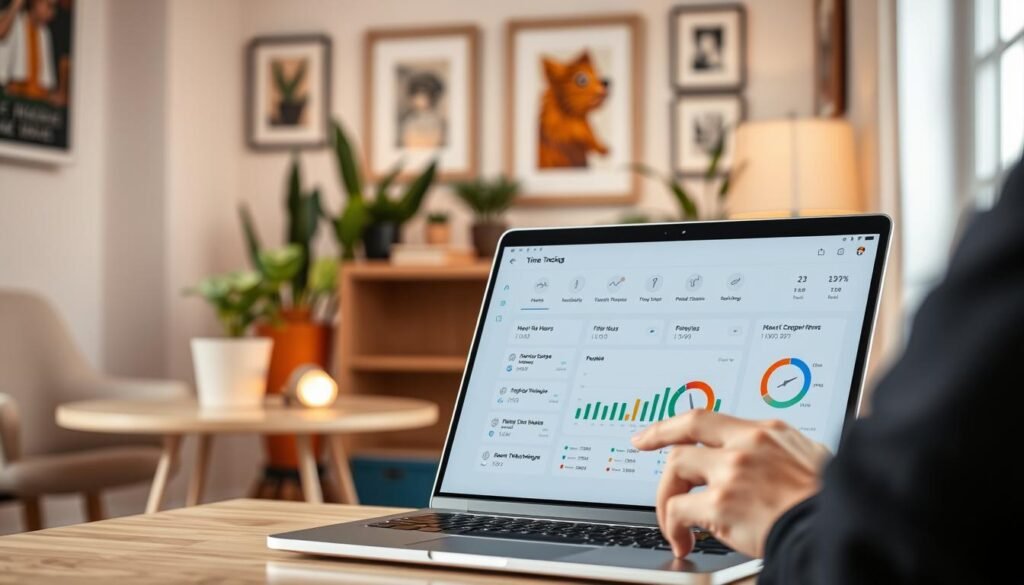
Time tracking software gives insights into how employees work. Data-driven insights show trends like when people work best. For example, a study might show mornings are the best time for important tasks.
Work-Life Balance Considerations
Time tracking boosts productivity but affects work-life balance too. Too much focus on tracking hours can cause burnout. Employers need to balance tracking with helping employees manage their work and life.
Employee Feedback on Time Tracking
What employees say about time tracking is key. Regular feedback helps improve the system. It’s important to make sure employees feel safe sharing their thoughts on time tracking.
By looking at these points, businesses can use time tracking to improve work. They can do this without making the work environment negative.
Future Trends in Time Tracking Technology
The time tracking industry is on the verge of a big change. New technologies are coming in. They promise to make time tracking more efficient and accurate.
AI and Automation in Time Tracking
Artificial Intelligence (AI) and automation are big trends. They help track time by finding patterns and spotting errors. This means less manual work and more accurate tracking.
AI and automation also help with predictive analytics. They use past data to predict future needs. This helps plan projects better and use resources wisely.
Mobile Application Integration
Remote work has made mobile application integration key. Time tracking apps on phones let employees log time from anywhere. This makes work more flexible and accurate.
Mobile apps also support geofencing and location tracking. This lets businesses check where employees are and ensure time is logged right.
Customization and Personalization Options
There’s a big push for customization and personalization in time tracking tools. Every business is different, and customizable solutions fit their needs. Personalization makes the tools easier to use, which can boost adoption and cut down on mistakes.
Customization can include customizable dashboards, tailored reports, and flexible alerts. These features make time tracking more effective.
In summary, the future of time tracking looks promising. Advances in AI, mobile apps, and customization will change the industry. Businesses that keep up with these trends can improve their time tracking.
Conclusion: Finding the Best Time Tracking App for Your Needs
Finding the right time tracking app for Office365 can really boost your team’s work. It’s important to think about features, cost, and how easy it is to use.
Key Considerations for Office365 Integration
Look for apps that work well with Office365. They should make your work flow better and keep all your data in one place. Toggl Track and Clockify are great choices. They offer live tracking and reports.
Encouraging Adoption and Implementation
Make sure your team knows how to use the app. Give them training and tell them what to expect. Also, check in often to see how things are going. This will help make the app work better for you.
By looking at your options carefully, you can pick the best time tracking app for Office365. This will help your team work better and more efficiently.