

In today’s world, keeping your device safe from malware and viruses is key. Many antivirus options are out there, but the big question is: are premium antivirus programs really worth the cost?
As cyber threats grow, people wonder if free tools like Windows Security are enough. Or if paid options like Malwarebytes give much better protection.
Choosing the right antivirus software depends on a few things. These include how much protection you need and how you use the internet. This article will look at the good and bad of paid antivirus software. It aims to help you make a smart choice.
Key Takeaways
- Understanding the differences between free and paid antivirus software.
- Evaluating the effectiveness of Malwarebytes and Windows Security.
- Identifying the factors that determine the worth of paid antivirus programs.
- Comparing top antivirus picks to find the best option.
- Learning how to choose the right antivirus software for your needs.
The Importance of Antivirus Software Today
Cyber threats are getting smarter and more common. This makes antivirus software very important for keeping our digital world safe. With new malware popping up every day, it’s key to stay protected.
Over 450,000 new malware types are found daily. This shows how vital antivirus software is in fighting these dangers. It’s important to know what threats are out there to pick the right antivirus.
Understanding Cyber Threats
Cyber threats include malware, ransomware, spyware, and phishing. These can steal our data, cost us money, and mess up our work. Antivirus software helps fight these threats, making it a must-have for security.
Key types of cyber threats include:
- Malware: Software designed to harm or exploit a computer system.
- Ransomware: Malware that demands a ransom in exchange for restoring access to data.
- Spyware: Software that secretly monitors and collects user information.
- Phishing attacks: Attempts to deceive users into revealing sensitive information.
Emerging Trends in Malware
Malware is always changing, with new tricks from cybercriminals. Now, malware uses AI and machine learning to attack us better. It’s important to keep up with these trends to choose the right antivirus.
“The cybersecurity landscape is rapidly changing, with malware becoming increasingly sophisticated. Antivirus software must evolve to keep pace with these emerging threats.”
Knowing about today’s cyber threats and new trends helps us pick the right antivirus. This way, we can stay safe from the changing world of cyber threats.
Free vs. Paid Antivirus: What’s the Difference?
In the world of cybersecurity, free and paid antivirus programs differ a lot. It’s not just about how much you pay. It’s about how well your digital life is protected.
Features of Free Antivirus Programs
Free antivirus software helps protect against common threats like viruses and malware. It’s a good choice for those who are careful about their online activities.
Key Features:
- Basic virus and malware detection
- Real-time protection (in some versions)
- Periodic scans of your system
But, free programs don’t have advanced features. They don’t offer firewall protection or help against identity theft.
Benefits of Investing in Paid Solutions
Paid antivirus programs offer more security features. They protect against advanced threats like phishing and ransomware.
Advantages of Paid Antivirus:
| Feature | Free Antivirus | Paid Antivirus |
|---|---|---|
| Real-time Protection | Limited | Advanced |
| Firewall Protection | No | Yes |
| Identity Theft Protection | No | Yes |
| Customer Support | Limited | 24/7 Support |
Choosing a paid antivirus means your digital world is safer. You’ll have peace of mind against cyber threats.
A Closer Look at Malwarebytes
Malwarebytes is a top choice in cybersecurity. It’s known for its strong threat removal and prevention. It’s a favorite among antivirus users for its ability to fight malware and protect against ransomware.
Unique Features of Malwarebytes
Malwarebytes has features that make it stand out. Here are some of its key features:
- Malware removal: It’s great at finding and removing malware from your system.
- Ransomware protection: It offers strong protection against ransomware, keeping your files safe.
- VPN: Malwarebytes also has a VPN service to keep your internet connection secure and your privacy protected.
To learn more about Malwarebytes’ features and how they can help you, visit https://www.security.org/antivirus/malwarebytes/review/.
Pricing and Subscription Options
Malwarebytes has different pricing plans for various needs. Here are the options:
| Pricing Plan | Features | Cost |
|---|---|---|
| Basic | Malware removal | $3.33/month |
| Premium | Malware removal, ransomware protection, VPN | $6.67/month |
Malwarebytes offers flexible pricing plans. This makes it easy for users to find a plan that meets their security needs and budget. For the latest pricing, check the Malwarebytes website.
Windows Security: A Built-in Contender
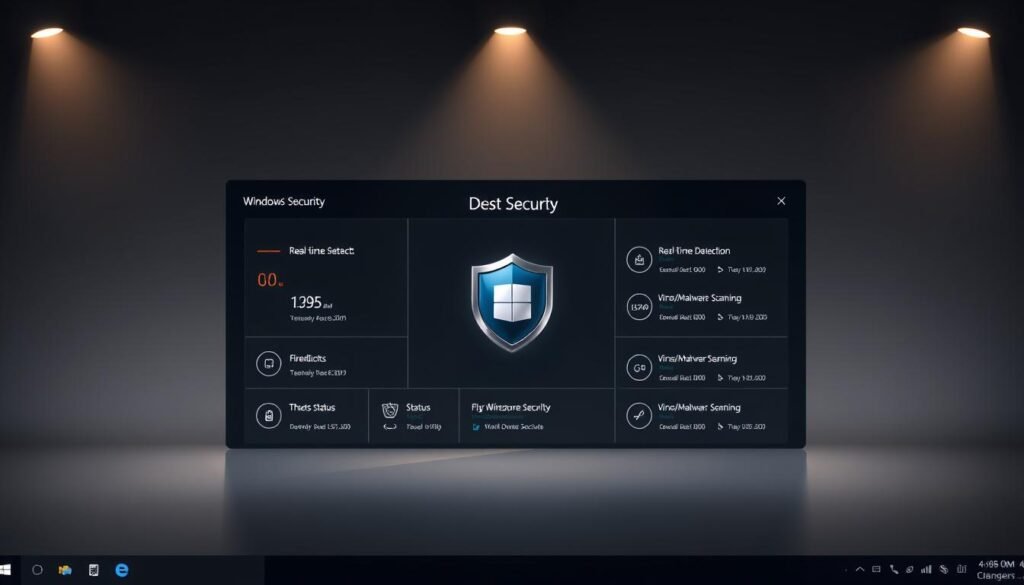
Windows Security is a built-in antivirus for Windows users. It has gotten better over time. Now, it’s a good choice for basic antivirus needs.
Effectiveness of Windows Security
Windows Security fights off many types of malware and cyber threats well. Its updates and connection with Windows help a lot. For more details, check out TechRadar’s review.
Some key features that make it effective include:
- Real-time protection against malware and other threats
- Cloud-delivered protection for detecting and blocking new threats
- Automatic sample submission to improve threat detection
When to Consider Additional Protection
Even though Windows Security is strong, sometimes you might need more. For example:
- People who download lots of files or take risks online might need extra features from paid antivirus.
- Businesses or groups with sensitive data might need stronger security and support.
In short, Windows Security is a solid antivirus. But, knowing your security needs helps decide if you need more.
Popular Paid Antivirus Solutions in the Market
Norton, McAfee, and Bitdefender are top picks for strong antivirus protection. They are leaders in cybersecurity, with features to fight many threats.
Norton: Features and Pricing
Norton is known for its full security suite. It has real-time threat detection, a password manager, and secure VPN. Prices start at about $39.99 a year for one device.
Norton’s excellent malware detection rates are a big plus. For more on antivirus, see this review of AVG antivirus software.
McAfee: Complete Security Options
McAfee has a strong antivirus with identity theft protection and encrypted storage. Prices start at about $34.99 a year for one device.
McAfee’s suite offers full protection. It has enhanced firewall protection and web protection to keep you safe online.
Bitdefender: Advanced Protection Features
Bitdefender is known for its advanced threat detection and anti-phishing features. Prices start at about $29.95 a year for one device.
Bitdefender’s software is light on your system. It keeps your device running smoothly while protecting it well.
| Antivirus Software | Key Features | Pricing (Single Device/Year) |
|---|---|---|
| Norton | Real-time threat detection, Password manager, Secure VPN | $39.99 |
| McAfee | Identity theft protection, Encrypted storage, Enhanced firewall | $34.99 |
| Bitdefender | Advanced threat detection, Anti-phishing features, Minimal system impact | $29.95 |
How to Choose the Right Antivirus for You
Finding the right antivirus software can be tough. But knowing what you need is the first step. With many choices out there, it’s important to figure out what you’re looking for.
Evaluating Your Security Needs
Start by thinking about how you use your devices and the internet. Do you have desktops, laptops, or mobile devices to protect? Also, consider your online habits. Do you download lots of files or visit risky websites? Are you worried about keeping your financial or personal info safe?
Key factors to consider include:
- The number and types of devices you need to protect
- Your online activities and habits
- The level of protection you require
- Any additional features you might need, such as password management or VPN services
Considering Cost vs. Benefit
After figuring out your security needs, think about the cost and benefits of different antivirus programs. Free options might offer basic protection. But paid versions usually have more features and better defense against advanced threats.
When considering the cost, ask yourself:
- What features are included in the paid version that aren’t available for free?
- Does the antivirus offer multi-device protection, or is it limited to a single device?
- Are there any additional tools or services, like identity theft protection or online banking security, that add value?
By carefully looking at your security needs and weighing costs and benefits, you can choose the best antivirus for your digital safety.
The Pros of Paid Antivirus Software
Paid antivirus software offers more than just basic virus protection. It provides a full cybersecurity solution with advanced features and better support.
Paid antivirus software comes with advanced features like password management and VPN protection. These features make your online experience safer. For example, many programs have password managers to help you keep strong, unique passwords for all your accounts.
Advanced Features and Support
Paid antivirus software also has better customer support. This is great for those who aren’t tech-savvy. It gives them a safety net if they run into problems with their antivirus.
- 24/7 Customer Support: Many paid antivirus providers offer around-the-clock customer support, ensuring that users can get help whenever they need it.
- Multi-Device Protection: Paid antivirus software often allows users to protect multiple devices under a single subscription, making it a cost-effective solution for households with several devices.
Enhanced Detection Rates and Protection
Paid antivirus software has enhanced detection rates compared to free versions. It uses advanced technologies and regular updates to better identify and remove threats. This means users get better protection.
| Feature | Free Antivirus | Paid Antivirus |
|---|---|---|
| Virus Detection | Basic | Advanced |
| Customer Support | Limited | 24/7 Support |
| Multi-Device Protection | Usually Limited to 1 Device | Multiple Devices Supported |
| Additional Features | Few or None | Password Managers, VPN, File Shredding |
For more information on the differences between free and paid antivirus software, you can visit this resource, which provides a detailed comparison.
The Cons of Paid Antivirus Software
Paid antivirus solutions offer strong protection but have big drawbacks. One major issue is the cost.
Cost Considerations
Paid antivirus software can be pricey, even for families. Protecting multiple devices like laptops, desktops, and smartphones can get expensive fast. Premium antivirus solutions often cost more, which might be too much for some.
For example, a family of four might spend a lot to protect all their devices. It’s key to think about the cost and benefits to see if it’s worth it.
Potential System Impact
Another drawback of paid antivirus software is its effect on system performance. Some antivirus programs can slow down your computer.
For instance, some antivirus software might run long scans that use a lot of CPU and memory. This can slow down other apps and hurt your productivity. Users should think if the protection is worth the performance loss.

In summary, paid antivirus software is great for protecting against cyber threats. But, it’s important to consider the downsides like cost and system impact before deciding.
User Experiences and Reviews
The true test of antivirus software is how it works in everyday life. This is shown in user experiences and reviews. When picking antivirus, it’s not just about features and price. It’s also about how well it works and how users feel about it.
Real-World Efficacy of Paid Solutions
Many people have shared their thoughts on paid antivirus software. They say it’s good at finding and removing malware. For example, Norton Antivirus is known for catching malware well and not slowing down computers.
Bitdefender also gets good reviews. It’s praised for spotting threats like ransomware and phishing. People like how easy it is to use and set up.
Customer Support Experiences
Good customer support is key for paid antivirus solutions. Users want quick and helpful help when they have problems. McAfee is known for its quick and friendly support team. They help through phone, email, or live chat.
Looking at customer support across different antivirus companies shows some are better than others. Here’s a table that shows how users rate support from top antivirus companies.
| Antivirus Vendor | User Rating (out of 5) |
|---|---|
| Norton | 4.2 |
| Bitdefender | 4.5 |
| McAfee | 4.0 |
These reviews show it’s important to pick antivirus that works well and has good customer support. It’s not just about the features and price.
Conclusion: Is Paid Antivirus Worth It?
Cybersecurity is a big deal in today’s world. Whether to buy paid antivirus depends on your security needs and what you prefer.
Free antivirus options are out there, but paid software usually offers better protection. This makes it a good choice for many people.
Cybersecurity Considerations
Think about how much protection you need. If you do things online that could risk your money or personal info, paid antivirus is a good idea.
User Recommendations
For strong protection, Norton, McAfee, and Bitdefender are good choices. Knowing what you need will help you decide if paid antivirus is right for you.
Choosing the right antivirus helps keep your online world safe. It gives you peace of mind in a complex digital world.