

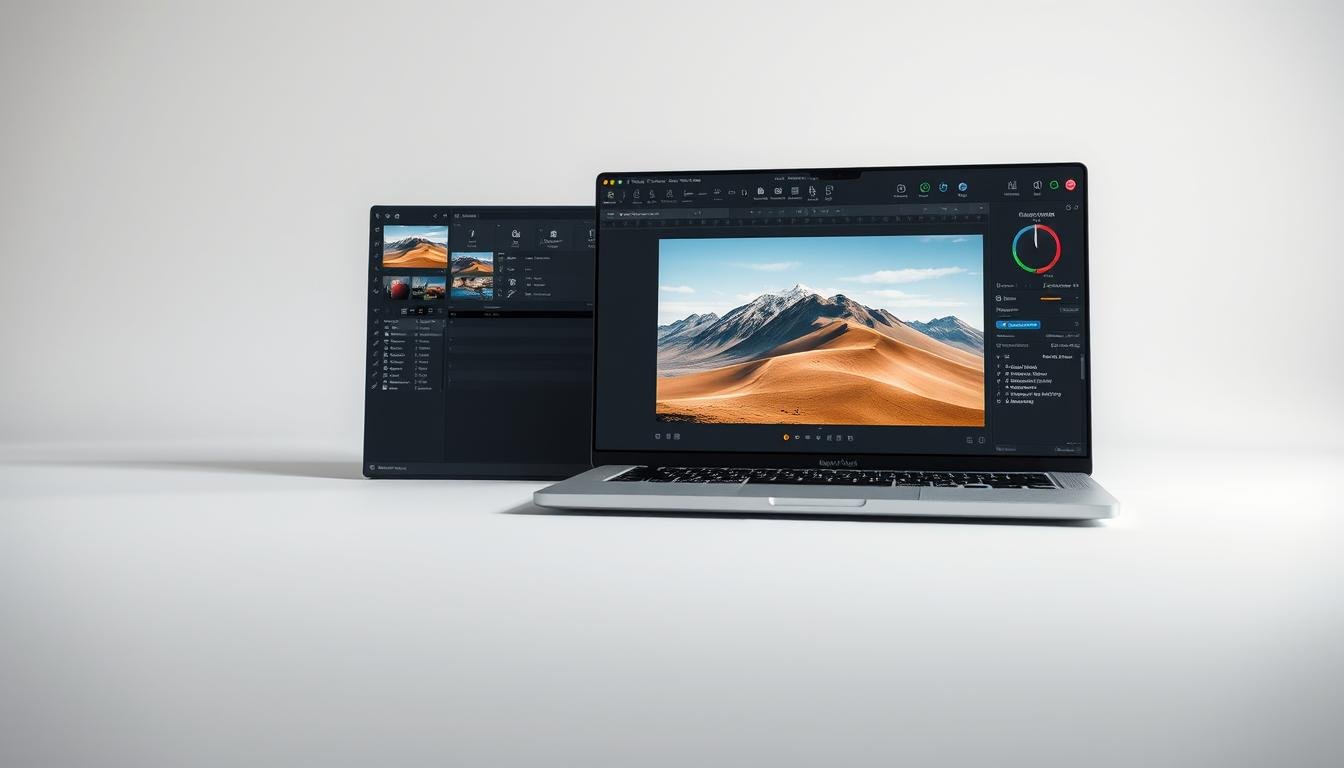
Digital photography has made photo editing software a must-have for photographers. Beginners face a tough choice with so many options. Each has its own features and prices.
Lightroom is a top choice for its strong editing tools and easy-to-use design. But, is it a good choice for newbies?
We’ll dive into Lightroom’s features, compare it with other photo editing software, and look at its good and bad sides. This will help beginners decide if Lightroom is right for them.
Key Takeaways
- Understanding the basic features of Lightroom and its benefits for beginners.
- Comparing Lightroom with other popular photo editing software.
- Evaluating the pros and cons of using Lightroom for photo editing.
- Assessing the cost and value for money of Lightroom.
- Tips for beginners to get started with Lightroom effectively.
Introduction to Adobe Lightroom
Adobe Lightroom is a top choice for photo editing software among both hobbyists and pros. It helps photographers manage, edit, and share their photos.
What is Adobe Lightroom?
Adobe Lightroom is a full-featured photo editing software. It has tools for organizing, editing, and sharing photos. It’s part of Adobe Creative Cloud, making it easy to use with other Adobe tools like Photoshop. For more on why photographers love Lightroom, check out The Lens Lounge.
Key Features Overview
Adobe Lightroom has some key features:
- Photo Organization: It lets users organize photos into collections. This makes it easy to find and edit specific images.
- Non-Destructive Editing: Edits in Lightroom don’t change the original image. This keeps the original file safe.
- Advanced Editing Tools: Lightroom has many editing tools. From basic adjustments to advanced tools like the graduated filter and adjustment brush.
- Sharing and Exporting: Users can share photos on social media or export them for printing.
These features make Adobe Lightroom a powerful tool for photographers. It helps them enhance their images and manage their photo collections well.
Understanding Photo Editing
For beginners in photography, learning about photo editing is key. It can greatly improve your photos. Photo editing is a vital part of photography.
The Importance of Photo Editing for Beginners
Photo editing is essential for beginners. It teaches them about photography’s technical sides, like exposure and color balance. Editing helps beginners learn to improve their photos and get the look they want.
It also lets beginners fix mistakes from the photo shoot. This includes fixing overexposure or underexposure. It makes their photos better overall.
How Editing Enhances Photography
Editing makes photos better by giving them a professional look. With tools like Adobe Lightroom, photographers can tweak brightness, contrast, and saturation. This helps achieve the perfect effect.
| Editing Feature | Description | Benefit |
|---|---|---|
| Exposure Adjustment | Adjusting the brightness of the photo | Corrects overexposure or underexposure |
| Contrast Enhancement | Adjusting the contrast of the photo | Enhances the overall quality and visual appeal |
| Color Grading | Adjusting the color balance of the photo | Gives the photo a specific mood or atmosphere |
By learning photo editing, beginners can greatly enhance their photography. They can create standout photos of high quality.
Who Should Use Adobe Lightroom?
Adobe Lightroom is great for both hobbyist and professional photographers. It has many features that help improve photos. It’s perfect for anyone wanting to enhance their photography.
Hobbyist photographers will love Lightroom’s easy-to-use interface. It has tools for improving photos, from simple to advanced. It also helps organize and catalog photos, making it easy to find and share favorites.
Hobbyist Photographers
Hobbyist photographers can use Lightroom to make their photos look better. It has presets and tools that make photos look professional without needing to be an expert. For example, they can use the Develop module to adjust exposure and color balance.
Some key benefits of using Lightroom for hobbyists include:
- Easy-to-use interface
- Advanced editing tools
- Organizational features for managing large photo libraries
Professional Photographers
Professional photographers get a lot from Adobe Lightroom too. It has tools for organizing and editing photos. The advanced masking and local adjustment tools help make precise edits.
A comparison of how Lightroom caters to both hobbyist and professional photographers is shown in the table below:
| Features | Hobbyist Photographers | Professional Photographers |
|---|---|---|
| Interface | User-friendly, intuitive | Advanced, customizable |
| Editing Tools | Basic to advanced tools available | Advanced tools for precise editing |
| Organizational Features | Basic cataloging and organization | Advanced cataloging, tagging, and searching |
In conclusion, Adobe Lightroom is a versatile tool for both hobbyist and professional photographers. Its features and user-friendly interface make it a great choice for anyone wanting to improve their photography.
Comparing Lightroom with Other Photo Editing Tools
Adobe Lightroom is often compared to other photo editing tools like Photoshop, Capture One, and GIMP. Each tool has its own features, advantages, and disadvantages. This makes them suitable for different photographers and editing needs.
Lightroom vs. Photoshop
Adobe Lightroom and Photoshop are both in the Adobe Creative Cloud suite but serve different purposes. Lightroom is great for organizing and editing many photos at once. It offers tools for adjusting exposure, contrast, and color grading.
Photoshop, on the other hand, is for detailed image manipulation. It includes layering, masking, and retouching.
Key differences:
- Lightroom is ideal for global adjustments and batch editing.
- Photoshop is better suited for detailed, localized edits.
Lightroom vs. Capture One
Capture One is a strong competitor to Lightroom. It’s known for its tethered shooting and advanced raw image processing. Both Lightroom and Capture One have great editing tools, but Capture One is praised for its color grading and image detail.
Comparison points:
| Feature | Lightroom | Capture One |
|---|---|---|
| Raw Image Processing | Excellent | Exceptional |
| Tethered Shooting | Limited | Advanced |
| User Interface | Intuitive | Customizable |
Lightroom vs. GIMP
GIMP (GNU Image Manipulation Program) is a free and open-source raster graphics editor. It has many features like Photoshop but lacks Lightroom’s streamlined workflow and Adobe integration.
Key advantages of Lightroom over GIMP:
- Seamless integration with other Adobe Creative Cloud applications.
- Streamlined workflow for photographers, including batch editing and presets.
In conclusion, Adobe Lightroom is a powerful tool for photo editing. The choice between Lightroom and other software like Photoshop, Capture One, and GIMP depends on the photographer’s needs. Understanding each tool’s strengths and weaknesses helps photographers choose the best software for their workflow.
Pricing and Subscriptions for Adobe Lightroom
Adobe Lightroom has different pricing plans for everyone. Whether you’re a hobbyist or a pro, there’s something for you. It’s all about finding the right fit for your needs.
Monthly and Annual Plans
Adobe Lightroom is part of Adobe Creative Cloud. You can choose from monthly or annual plans. The monthly plan gives you flexibility, while the annual plan saves you money in the long run.
Jeff Schewe, a famous photographer, said, “The key to a good workflow is not just the tools you use, but how you use them.” Picking the right plan is key to a smooth workflow.
The Adobe Creative Cloud Photography plan, which includes Lightroom, costs about $9.99/month. If you pay annually, it’s $119.88/year. This saves you about 20% compared to monthly payments.
Discounts for Students and Educators
Adobe gives big discounts to students and educators. If you have a school email, you can get a lower rate. This helps students and teachers get started with top-notch tools.
“Education is the passport to the future, for tomorrow belongs to those who prepare for it today.” –
This is a great chance for students to learn with Adobe Lightroom.
Knowing the prices and discounts helps you decide if Adobe Lightroom is right for you.
User Experience and Interface
Adobe Lightroom has a user-friendly interface for all levels. It makes photo editing easy and efficient. This helps users to manage and improve their photos.
Navigating Lightroom’s Interface
Lightroom’s layout is easy to navigate. It has the Library module for photo management, the Develop module for editing, and more. These modules are for tasks like Map and Book.
The interface is customizable. Users can change the layout to fit their needs. For example, they can use the toolbar at the top to switch modules. They can also use Solo Mode to reduce clutter by collapsing panels.
Performance on Different Devices
Adobe Lightroom works well on many devices, like desktops, laptops, and mobiles. It runs smoothly on both high-end and lower-end hardware. This ensures a good experience for most users.
| Device | Performance | Key Features |
|---|---|---|
| Desktop | Smooth, with advanced features | Utilizes multi-core processors, extensive editing tools |
| Laptop | Efficient, suitable for on-the-go editing | Optimized for battery life, portable |
| Mobile | User-friendly, touch-optimized interface | Syncs with desktop version, basic editing capabilities |
Adobe Lightroom is designed to be intuitive and efficient. It’s great for photographers. Whether you’re editing on a desktop or a mobile, Lightroom offers a consistent and powerful experience.
Essential Tools in Adobe Lightroom
Adobe Lightroom is a treasure trove for photographers. It has tools for both beginners and experts. These tools help make photos look better and more appealing.
Basic Editing Features
Lightroom’s basic tools are great for improving your photos. You can:
- Exposure Adjustments: Change the brightness and darkness of your image.
- Contrast Control: Adjust the light and dark areas for better contrast.
- Color Grading: Alter the color tone and mood of your photo.
These features are easy to use. They help beginners get started with photo editing.
Advanced Editing Tools
Lightroom also has advanced tools for more detailed editing. These include:
| Tool | Description | Benefit |
|---|---|---|
| Gradient Filter | Adjusts specific areas of the image with a gradient. | Offers precise control over exposure, contrast, and color. |
| Spot Healing Brush | Removes blemishes and imperfections. | Improves the image’s cleanliness and quality. |
| Color Grading Tools | Provides advanced control over color tone and mood. | Allows for creating a specific aesthetic or atmosphere. |
These advanced tools let photographers fine-tune their images. This makes Lightroom a powerful editing tool.
Community and Resources
Adobe Lightroom offers a huge community and lots of resources. It’s a favorite among photographers. This has created a vast support system and learning materials.
Support and Tutorials Available
Adobe has a wide range of tutorials and support for Lightroom users. The official Adobe website has step-by-step guides, video tutorials, and a detailed knowledge base. New users can quickly get up to speed with the software thanks to these resources.
Adobe also offers customer support through phone, email, and live chat. This means users can get help whenever they need it. It makes learning easier and less frustrating.

User Forums and Groups
The Lightroom community is very active and supportive. There are user forums and groups online and offline. These communities are invaluable for gaining insights and staying updated on the latest trends and techniques.
Platforms like Reddit, Facebook, and dedicated photography forums have vibrant Lightroom communities. These spaces let users connect with others who share similar interests and skill levels. It fosters a sense of belonging and helps with knowledge sharing.
By using these resources, users can improve their skills, solve problems, and stay connected with the photography community. Whether you’re new or advanced, the community and resources for Adobe Lightroom can greatly improve your experience with the software.
Pros of Using Adobe Lightroom
Adobe Lightroom is loved for many reasons. It makes editing photos easier and more enjoyable. This tool is a must-have for photographers.
Ease of Use for Beginners
Lightroom is user-friendly, even for newbies. Its easy-to-use interface lets beginners edit photos with ease. It offers many presets and tools to help users get great results quickly.
Integration with Adobe Creative Cloud
Lightroom works great with Adobe Creative Cloud. This connection lets users access their photos on different devices and apps. It makes work flow better.
With Creative Cloud, sharing and working with others is easy. It’s great for both hobbyists and pros.
Being part of Creative Cloud also opens up more editing options. Users can explore more creative possibilities.
Cons of Adobe Lightroom
Adobe Lightroom is a top-notch photo editing tool, but it has its downsides. Like any software, it has features that might not appeal to everyone.
Steep Learning Curve
One big issue for new users is the steep learning curve of Adobe Lightroom. It has many features, making it hard for beginners to get started.
Here’s a table showing the number of tools in Lightroom compared to other photo editing software:
| Software | Basic Tools | Advanced Tools |
|---|---|---|
| Adobe Lightroom | 10 | 20 |
| Adobe Photoshop | 12 | 30 |
| Capture One | 8 | 18 |
Subscription Model Concerns
The subscription-based model of Adobe Lightroom is another drawback. It offers updates and cloud storage but can be expensive over time.
Users need to weigh if the subscription’s benefits are worth the cost. Some find the updates and flexibility worth it, while others prefer a one-time payment.

Final Verdict: Is Adobe Lightroom Worth It?
Is Adobe Lightroom a good choice for new photographers? Let’s look at the main points and what beginners should know.
Summary of Key Points
Adobe Lightroom is a top-notch photo editing software. It has many tools to improve and manage photos. It’s easy to use and works well with Adobe Creative Cloud.
For more details, check out https://shotkit.com/lightroom-review/. There, you can see what other users think.
Lightroom is great for both hobbyists and pros. It has advanced tools but is easy to start with. It’s available by subscription, with discounts for students and teachers.
Recommendations for Beginners
Adobe Lightroom is a great tool for beginners. It’s easy to use and has powerful editing tools. Here are some tips to get started:
- Begin with the basic editing tools to get a feel for the software.
- Look for tutorials and online resources to learn more.
- Think about the cost and if the subscription model works for you.
In conclusion, Adobe Lightroom is worth considering for beginners. It has a lot of features and is easy to use. While it might take some time to learn and there’s the subscription cost, it can really improve your photos.
Conclusion and Next Steps
Adobe Lightroom is a powerful tool for photographers. It offers great features, pricing, and user experience. Whether you’re a hobbyist or a pro, Lightroom can be very useful.
Getting Started with Lightroom
To start using Lightroom, download the app on your device. You can choose between Lightroom mobile or desktop. Think about what you need and prefer.
The desktop version has more advanced features. The mobile app is great for editing on the go.
Learning Resources
Adobe has many resources to help you learn Lightroom. They offer tutorials and user forums. You can also find help online in photography communities and on YouTube.
If you’re looking for free alternatives, try GIMP or Capture One. They can be good options.