

Are you having trouble keeping your team’s tasks organized? In today’s fast world, good project management is key to success.
Choosing the right tool can be tough with so many options. Asana and Monday are two popular choices. They offer features like task management, collaboration tools, and reporting. Asana is easy to use, helping teams assign tasks and track progress well. For more on using these tools, check out Unlocking the Potential of Free SaaS.
Key Takeaways
- Asana and Monday are top choices for project management.
- Effective project management is key to business success.
- Features like task management and collaboration are essential.
- The right tool can significantly improve team productivity.
- Choosing the best tool depends on team needs and size.
What is Free Project Management Software?
Free project management software is key for teams wanting to improve their workflow. It helps teams manage projects and tasks better, without spending a lot of money.
Definition and Benefits
Free project management software offers many features to help teams plan and track projects for free. It saves money, boosts productivity, and improves teamwork. Teams can reach their goals without the high costs of other solutions.
These tools also include task management, collaboration tools, and reporting. Recent data shows they can greatly improve team productivity and project success.
Popular Use Cases
Free project management software is great for small projects, tracking tasks, and team collaboration. It’s used for:
- Managing small to medium-sized projects
- Tracking tasks and deadlines
- Collaborating with team members in real-time
- Reporting progress and project status
Tools like Asana and Monday.com are top choices for free project management software. They offer features for different team needs. Using these tools, teams can work better and meet their project goals.
Overview of Popular Free Tools
In the world of project management, many free tools are popular. They offer great features and are easy to use. Teams can find effective solutions without spending money.
Asana
Asana is loved for its simplicity and ease of use. It has features like task management, collaboration tools, and reporting. Its free plan supports up to 15 users, perfect for small to medium-sized teams.
- Task assignment and tracking
- Collaboration features
- Basic reporting
Monday.com
Monday.com is known for its customization and wide range of integrations. Its free plan offers many features but has user limits and lacks some advanced tools.
- Customizable workflows
- Integrations with other tools
- User-friendly interface
Trello
Trello uses Kanban-style boards, making it visually appealing and easy to manage tasks. It’s adaptable and integrates well with other tools. Trello’s free plan is generous, suitable for teams of all sizes.
ClickUp
ClickUp combines task management, collaboration, and reporting in one platform. It’s flexible and customizable for different project needs. ClickUp’s free plan is rich in features, making it a top choice in free project management tools.
- Task management
- Collaboration tools
- Customizable reporting
Each tool has its own strengths. Asana is simple, Monday.com is customizable, Trello is great for visual task management, and ClickUp is versatile. The right tool depends on the team’s specific needs and preferences.
Key Features to Consider in Project Management Software
Good project management software has key features for managing tasks, working together, and reporting. When picking a tool like Asana or Monday.com, look at these features. They help teams work better and faster.
Task Management
Task management is key for teams to keep track of tasks. A good system lets you create and assign tasks, set deadlines, and see how they’re doing. Asana has a simple interface for organizing and focusing on tasks.
Important task management parts include:
- Task assignment and tracking
- Deadline setting and reminders
- Task prioritization
Collaboration Tools
Collaboration tools are essential for team success. They help team members work together smoothly. Monday.com, for example, has many features for better team talk and planning.
Look for these collaboration features:
| Feature | Description | Benefit |
|---|---|---|
| Real-time commenting | Allows team members to comment on tasks in real-time | Enhances communication and reduces misunderstandings |
| File sharing | Enables team members to share files related to tasks | Centralizes information and improves accessibility |
| Team messaging | Facilitates direct communication among team members | Streamlines discussions and decision-making |
Reporting and Analytics
Reporting and analytics are key for understanding project success. They give insights into task completion, team work, and project time. Asana and Monday.com both have strong reporting and analytics.
When looking at project management software, think about what reports are important for your team. Consider things like:
- Task completion rates
- Team productivity metrics
- Project timeline analysis
Comparing Asana and Monday
Asana and Monday.com are top project management tools with different uses and features. It’s key to look at user interface, collaboration, and integrations when choosing. These factors help decide which tool fits your team’s needs best.
User Interface and Experience
The tool’s interface is vital for user adoption and productivity. Asana is simple and easy to use, great for small teams and new users. Its clean design lets users quickly manage tasks.
Monday.com, on the other hand, offers a customizable interface. This is good for larger teams and enterprises. But, it might be complex for new users.
Monday.com’s customization is both a plus and a minus. It’s personalized but can be complex. Asana’s simplicity makes it easy for users to start managing projects right away.
Collaboration Features
Collaboration is key in project management. Both Asana and Monday.com have strong features for teamwork. Asana is great for task management, with easy assignment and tracking.
Monday.com has more features, like customizable workflows and time tracking. It’s better for teams needing specific workflow setups. But, Asana is simpler for task management. Learn more about their differences in this Asana vs Monday comparison.
Integrations and Add-Ons
Integrations and add-ons are important for extending tool functionality. Both Asana and Monday.com have many integrations with popular apps. Asana works well with Google Drive, Slack, and Microsoft Teams.
Monday.com also has a wide range of integrations, including Google Calendar and Slack. The choice between Asana and Monday.com depends on your project needs. Asana might be better for teams using Google Workspace or Microsoft. Monday.com is great for those wanting a customizable platform with many integrations.
Best Practices for Using Free Project Management Tools
To get the most out of free project management tools, teams need a smart plan. By following best practices, teams can work better and hit their project targets. “The key to successful project management lies in the effective use of the tools at your disposal,” say experts.
Setting Up Your Projects
Starting projects right is key to good project management. This means making clear task lists, setting doable deadlines, and giving tasks to team members. Proper project setup makes sure everyone knows what to do and works together.
Encouraging Team Collaboration
Teamwork is critical for any project’s success. Tools like Asana and Monday.com help with this through features like @mentions, file sharing, and discussion boards. These tools help teams work together better, leading to more ideas and work done.
Regularly Reviewing Tasks
Checking on tasks regularly is important to keep projects on track. This means watching task progress, finding and fixing problems, and moving resources around. Regular task reviews keep teams focused and ready to adjust to project changes.
For more tips on picking the best free project management software, check out free project management software tools. This can guide teams in choosing the right tools for their needs.
Limitations of Free Project Management Software
Free project management software is great for small teams. But, it has its limits. As teams grow or projects get more complex, these limits show up.
User Limitations
One big limit is the number of users allowed. For example, Asana has a free plan with user limits. This can be a problem for teams that are getting bigger. Other tools might limit the number of projects or tasks you can manage.

Feature Restrictions
Free plans often have limited features compared to paid plans. This includes fewer integrations, reports, and advanced tools. For instance, Monday.com’s free plan has limits on automations. This can slow down teams that need automation a lot.
| Feature | Asana Free | Monday.com Free |
|---|---|---|
| User Limit | 15 users | 2 users |
| Automations | Unlimited | 25/month |
| Integrations | Limited | Limited |
Data Security Concerns
Data security is very important when using free project management software. Many free tools have good security, but it might not be as strong as paid plans. It’s important to check the security features of any free tool to see if they meet your team’s needs.
When looking at free project management software, think about the risks and limits. Knowing these can help you decide if a free tool is good for your team.
Free vs. Paid Project Management Software
Choosing between free and paid project management software depends on several factors. These include the team’s needs, size, and goals. Each option has its own advantages and disadvantages.
Free software like Asana and Trello can save money and boost productivity. But, paid software offers more features, integrations, and support. This makes it a better choice for bigger teams and companies.
When to Upgrade
Deciding to switch from free to paid software is a big step. It’s based on the team’s growing needs. Here are signs it’s time to upgrade:
- The team has outgrown the free version’s features.
- More advanced reporting and analytics are needed.
- More integrations with other tools are required.
- The team needs better support and training.
For example, Asana has a free plan with basic features. Monday.com offers a free trial before you pay. Teams should check their needs and look at options to decide when to upgrade.
Cost vs. Value Analysis
It’s important to compare costs and benefits when choosing software. Consider these factors:
- The cost per user.
- The extra features and benefits of the paid version.
- The ROI through better productivity and efficiency.
For small teams, free tools might be enough. But as teams grow, paid software’s benefits often outweigh the costs. It’s key to balance the costs with the benefits for a smart choice.
In summary, picking between free and paid software depends on a detailed analysis of the team’s needs and goals. Understanding when to upgrade and comparing costs and benefits helps teams make the best choice for their project management needs.
User Testimonials and Case Studies
User testimonials and case studies show how Asana and Monday.com help teams. They share real stories of success. These examples give insights into how teams use these tools.
Success Stories with Asana
Teams love Asana for its easy-to-use interface and strong features. They say it makes task management easier and teamwork better.
- Improved task assignment and tracking
- Enhanced team collaboration and communication
- Customizable workflows to suit different project needs
A marketing team’s story is impressive. They used Asana to manage their campaigns. This boosted their productivity by 30% and cut down project time.
Monday.com Usage in Teams
Monday.com is also popular for its flexibility and customization. Teams see big improvements in their project management after using it.
| Feature | Asana | Monday.com |
|---|---|---|
| Task Management | Robust task assignment and tracking | Customizable task management with multiple views |
| Collaboration | Real-time collaboration and communication | Flexible collaboration tools with file sharing |
| Reporting | Basic reporting features | Advanced reporting and analytics capabilities |
The table shows Asana and Monday.com have different features. Teams can pick the best tool based on their needs.
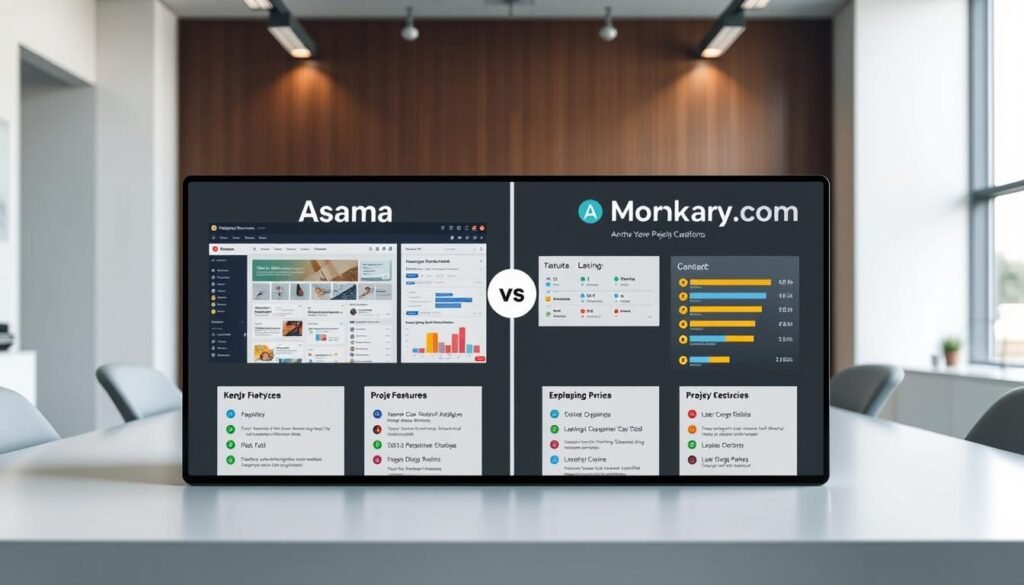
Choosing between Asana and Monday.com depends on several factors. Consider team size, project complexity, and needed features. This helps teams pick the right tool for their goals.
Future Trends in Project Management Software
Project management software is on the verge of a big change. This change comes from new tech like AI and automation. Teams are looking for better ways to manage projects, and AI and automation are key.
AI-Driven Automation
AI is changing how we manage tasks in project management tools. Asana and Monday.com lead the way with features like automated workflows and reports. These tools help teams focus on important tasks while doing routine work automatically.
Tools for Remote Team Management
Remote work has made it clear we need better tools for managing teams from afar. Project management tools for small teams are great because they meet the needs of smaller, remote teams. They offer better collaboration and workflows that can be customized.
When picking a project management tool, think about how well it supports remote teams. Look for features like real-time chat, file sharing, and easy task assignment.
The best free project management software is also getting better for remote teams. They offer solutions that can grow with your team. Using these tools can make your team more productive and help finish projects on time.
Conclusion: Making the Right Choice
Choosing the right free project management software is key for teams to reach their goals and boost productivity. Asana and Monday are top choices, each with its own set of features and pricing. When comparing Asana vs Monday, think about what each offers, its limits, and future trends to make a smart choice.
Selecting the Best Tool for Your Team
Teams can pick the best free project management software by looking at its features and limits. Asana, Monday, and others like Teamhub have different features for various team needs. Checking out these options can help teams find the best match.
Using the best free project management software can help teams stay ahead and work more efficiently. This way, teams can enhance their productivity and workflow.